Filters & Calibration Frames
A filter wheel is only as usable as its labels. ARIS lets you name and color every slot, carry per-filter focus offsets so filter changes don’t cost you a focus run, and shoot calibration frames as ordinary sequence steps.
Filter slot names and colors
Section titled “Filter slot names and colors”Edit each slot’s name and color in ARIS — “Ha”, “OIII”, “L” instead of “Slot 3”. The names and colors follow the filters everywhere: sequence plans, capture controls, file organization, and focus offsets all speak in your labels.
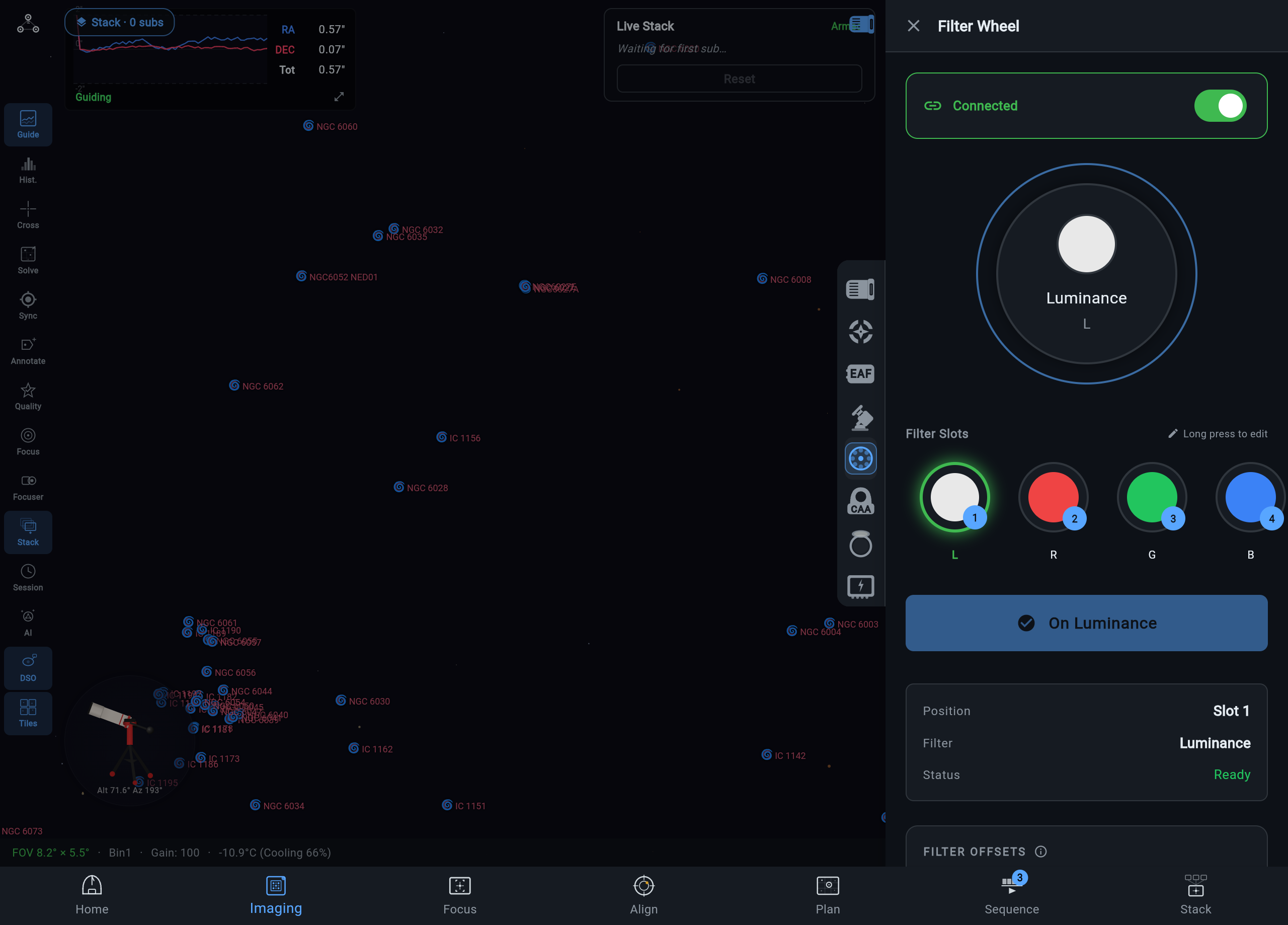
Where the edits persist depends on the rig type:
- INDI rigs — slot names and colors are saved in the rig’s equipment profile, on the rig itself.
- NINA rigs — edits persist into your NINA profile, so NINA and ARIS always agree on what lives in the wheel. See NINA Integration.
Per-filter focus offsets
Section titled “Per-filter focus offsets”Different filters focus at slightly different points. Store an offset per slot and ARIS applies it automatically on every filter change during a sequence — the focuser moves by the offset difference and imaging continues, no autofocus run required for the swap.
Offsets also power the autofocus filter-swap option: run autofocus through your chosen filter (typically luminance, where stars are brightest), then let the offset place narrowband filters at their correct focus. Sequences with an Ha/OIII/SII rotation stop paying a full focus run at every change.
Darks, flats, and bias in sequences
Section titled “Darks, flats, and bias in sequences”Calibration frames are first-class sequence steps. Add a Take Darks, Take Flats, or Take Bias step to a plan’s pre- or post-sequence steps — count, exposure, binning, filter where relevant — and the runner executes it in order, waiting for every calibration frame to actually complete before moving on. See Flats for the flat step’s modes.
That completion-wait matters for unattended nights: an end-of-plan dark library shoots reliably after the last light, with no babysitting, and the frames land in your file tree organized by type. A common plan shape is lights through the night with a calibration block at the end, when you are asleep and the optics are still at temperature.
Two guarantees keep multi-filter flats honest:
- The wheel moves first. Each filter’s flats are taken through that filter: the runner rotates the wheel and confirms it actually arrived before measuring or shooting. A flat set can never silently shoot every filter’s frames through whichever filter happened to be parked.
- Two names, one slot is rejected. If two different filter names in a flat plan resolve to the same physical wheel position — “L” and “Lum” both landing on one slot — ARIS refuses the plan with a clear error rather than shooting two differently-labelled flat sets through one piece of glass. A mislabelled master flat mis-calibrates every light it touches, silently, at stacking time; a loud error at start time is the cheap version of that mistake.
Flat wizard
Section titled “Flat wizard”Flats want a specific signal level, and dialing panel brightness and exposure per filter by hand is tedious. The flat wizard does it for you: with a flat panel connected, it measures the signal at multiple brightness levels and finds the brightness/exposure pair that hits the target level for each filter.
The trained profiles live on the rig itself, next to the equipment they describe — so every device sees the same trained values, and the sequence runner shooting your end-of-night flats uses them directly instead of re-deriving exposure at 4am.
Cover guard
Section titled “Cover guard”Some motorized flat-panel covers close themselves when they power up. ARIS guards against the resulting silent disaster: before light frames, it checks the cover and automatically opens a closed one — so a power blip at dusk cannot turn your imaging run into a night of exposures against the inside of a lid.
The same logic works in your favor for calibration: flats run against the closed, lit panel, and the cover state is managed as part of the sequence rather than by memory.